What you are looking at
From version 2.1.0, a Galactus DB node can hold tables: typed rows with a primary key, indexes and constraints, read and changed with SQL in the same statement as your Cypher. The rows stay with the node they belong to, and a query moves between the graph and the rows in one pass. Seven chapters, one database:
- A table on a node. One customer and twelve orders, kept as order nodes on one side and as rows in a table on the customer on the other. An order takes 63 bytes on disk as a table row and 85 as a node of its own (100,000 orders across 1,000 customers, Galactus DB 2.1.0, Paged).
- Graph, then rows. Cypher follows
KNOWSto Ada's friends, thenCALL (f) SQLreads each friend's own orders table and returns their three latest orders as Cypher rows. - Rows in the WHERE. A
SQL { }value goes anywhere an expression goes: a count over each customer's orders decides the match, and a sum is written back onto the node in the same transaction. - Readings. Twelve sensors on three floors, each with a day of readings keyed by time.
The graph picks Floor 2's sensors, the key range picks the last six hours, and
GROUP BYreturns hourly averages. - One type, every table. Every orders table is of the table type
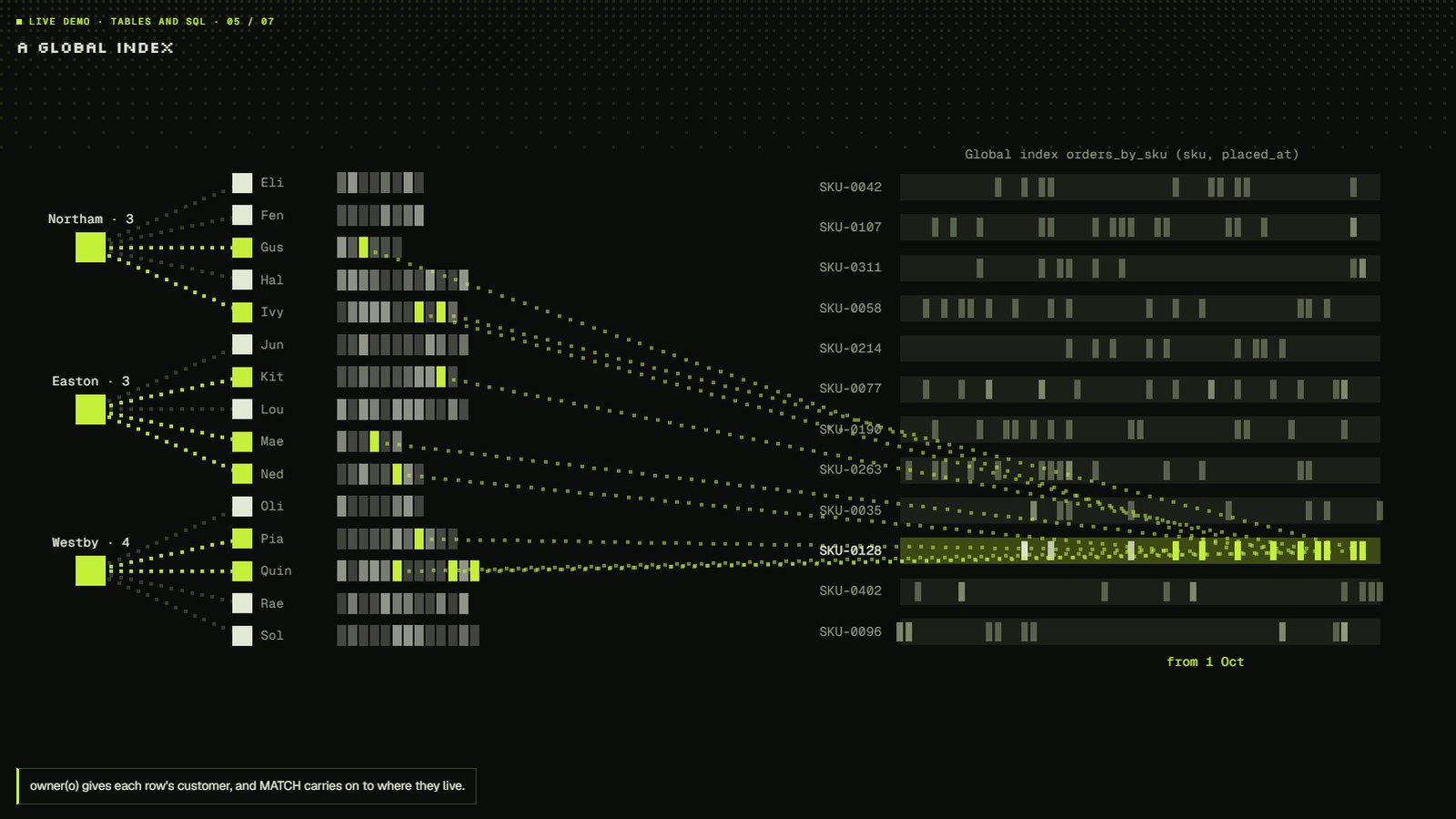
Order, so a global index holds all their rows by SKU and date. One range of it finds a product's recent orders across every customer, andowner(o)leads back into the graph. - Rules on every row. An invoice's lines have a primary key and a
CHECKconstraint.ON CONFLICTturns a repeat SKU into an update, and a statement that breaks the check changes nothing, including the relationship it tried to add. - Change every table. Tables with the same columns share one stored schema. One
ALTERadds a column to every customer's table without rewriting a row; dropping a column rewrites each row once.
Every query in the code panel runs as written on Galactus DB 2.1.1. All data is synthetic: the names, products and towns are invented.
Things to try
- Pick a chapter from the bar under the scene, or let it run through all seven.
- In Rows in the WHERE, watch the counts: a customer stays in the match only with more than five orders over 100.
- In One type, every table, follow the lines from the index back to the rows they point at: no other table is opened.
- In Change every table, compare the rows rewritten by
ADD COLUMNand byDROP COLUMN.